How the progress numbers are made
The items to track come from the drawings
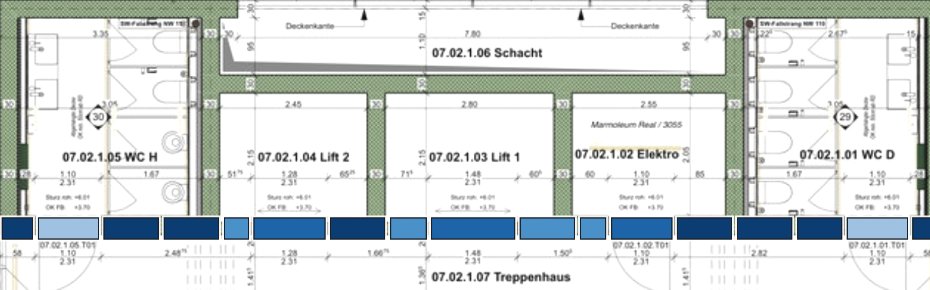
The floor plan defines what should be built. We mark the pieces worth tracking: wall sections (split into 1 m segments), door openings, lift doors, and stair flights, each at its exact position on the plan.
Site walks provide located photos
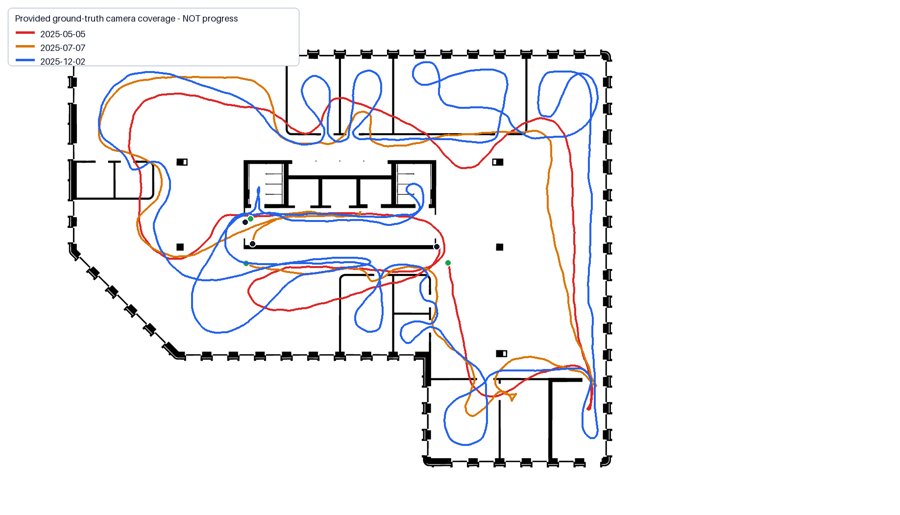
A 360° camera is carried through the floor on each visit. Every frame has a known camera location and viewing direction, aligned to the drawing grid.
The best photos are selected automatically (no AI at this step)
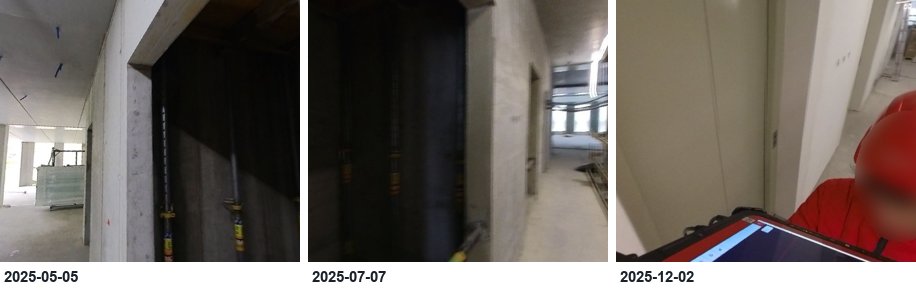
For each item and each visit, the system finds the camera positions that passed closest with a clear line of sight, then converts the 360° image into a normal photo aimed at that item. The same item, seen on every visit:
AI reads the construction stage, not a percentage
A vision model looks at the item's two closest photos and picks one stage from a predefined checklist (for a wall: absent, structure, plastered, painted), with a confidence and a one-line justification. It is never asked to guess a number.
Progress % comes from agreed stage values
Each stage has an agreed value (plastered = 70%, painted = 100%). An item's progress is the value of its current stage. Zone progress is the average across observed items, where longer wall sections count more than short ones. The share of the zone actually observed is always shown next to the number.
Accuracy is measured, not assumed
A manually checked reference set sits next to the AI's answers. Today the AI picks the exact stage 62% of the time, and 93% of the time it is at most one stage off (for example "plastered" instead of "painted"). Where the AI and the reference disagree, the app shows both.
Common questions
- What if an item is not visible on a visit?
- It is shown grey ("not observed") and excluded from the percentage; the coverage figure tells you how much was seen.
- Can a person correct the AI?
- Yes. Every number links to its source photos, and a reviewer's correction replaces the AI answer in the record.
- What about rework?
- A stage that moves backwards between visits is flagged for review rather than silently accepted.
- Does the % cover everything on the floor?
- No, only the tracked items. The zone number says exactly what it is: progress on the marked elements, weighted by their size.
Data: Hilti–Trimble SLAM Challenge 2026 (CC BY-NC-SA 3.0), used for this non-commercial demo with attribution. Stages assessed by gpt-5.6-terra. Camera positions are the dataset's surveyed ground truth; on a live project they would come from SLAM or survey control.